¶ Approve Property for Sale
¶ Overview
Review submitted properties and approve or reject them for sale.
¶ Steps
- Go to iCRE Pro Dashboard.
- Select Approve Properties.
- Identify the property under review.
- Click View under Actions.
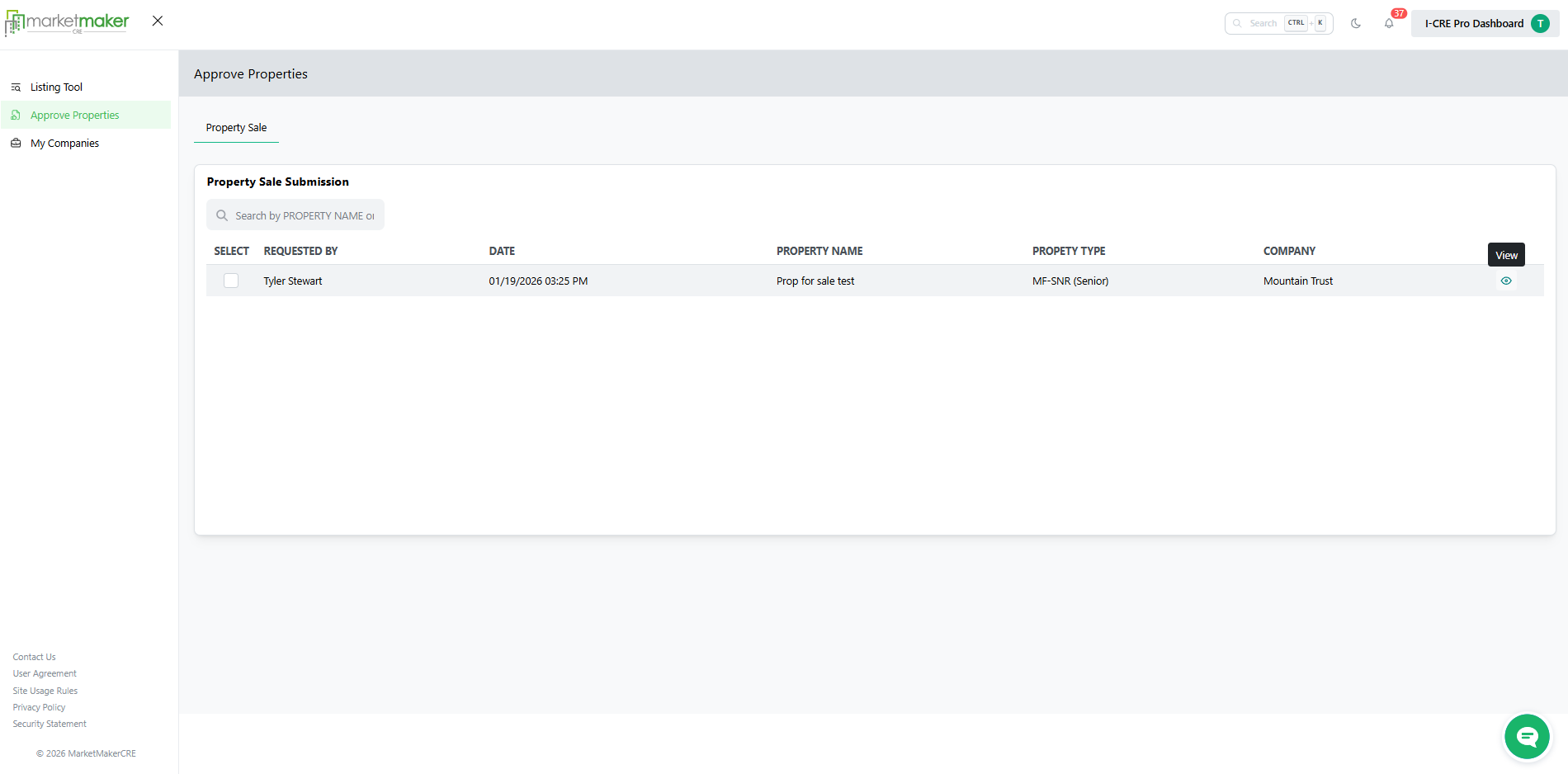
- Verify ownership and supporting documentation.
- Under Property Approval - Prop for sale test, Select Yes or No.
- Choose the approval duration.
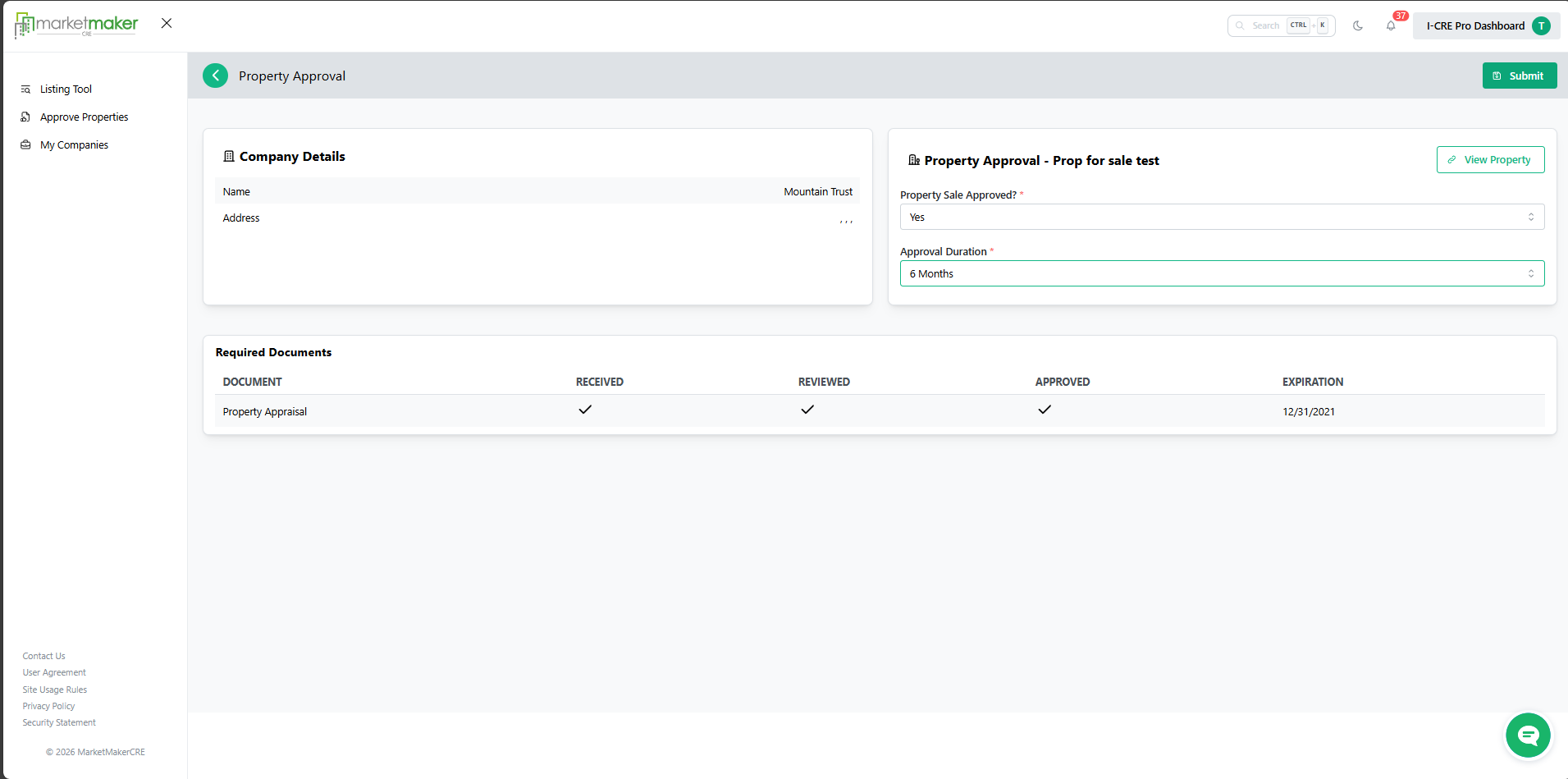
Submit
¶ Video Tutorial
¶ Result
The property is approved or rejected for sale.